Process Killer

Process Killer
License:
Free
Language:
English
Developer:
OS:
Win95/98/98SE/Me/2000/NT/XP/2003/Vista
Updated:
See detailed info

Softonic review

Niamh Lynch

“Simple and effective process killer”

by Niamh Lynch about Process Killer

Killing processes with a dedicated app is a very effective way of clearing up frozen programs. Unfortunately, it also makes it dangerous, which is why the developers of Process Killer have decided to use a nuclear symbol as their logo!

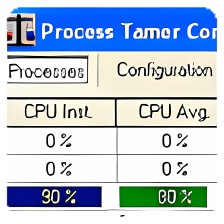
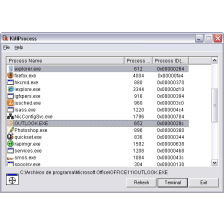
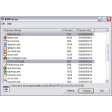
Process Killer is a relatively simple app that aims to do the same job as System Manager, but more quickly and efficiently. There is only one main interface - the app lists all the programs running on your system on the left, provides basic technical data about a given process on the right and the option to Kill Process on the top toolbar.

Beyond this, Process Killer has no other configuration options.

There weren't too many troublesome apps on my computer when I tested this, but the programs that I did test were terminated without hesitation.

Process Killer doesn’t provide any warning or specific information about what effect killing a process will have, which is why the developer warns that the app is only for advanced users.

It's a pity then that it doesn't provide some more advanced options, something that advanced users would surely appreciate.


Process Killer is an effective tool, but it's not suitable for beginners and lacks the advanced choices that experienced users would like.

Pros
  • Stops processes in one click
  • Easy to use
Cons
  • Can be dangerous in the wrong hands
  • No advanced options or information
Free Download Process Killer 2.0.1

Process Killer is virus free

We have analyzed the latest version of Process Killer with 30 antivirus engines and it is virus free. See analysis results.

TESTED VIRUS FREE - Softonic GUARANTEED

Developer's description

When a program locks up and you can't get rid of it except by rebooting, use this handy little utility to kill it off instead. Recommended for "power users" only since it assumes that the user is knowledgeable and doesn't ask any questions.

Review and rate Process Killer

Your avatar

Your opinion is important.
Help other users - be the first to review this program.

Review
  1. Maximum: 75 characters

  2. See example

Pros and Cons
Rate
  1. What rating would you give Process Killer?

    You need to fill in all fields

    • Usability:

      Not rated
    • Stability:

      Not rated
    • Installation:

      Not rated
    • Functionality:

      Not rated
    • Appearance:

      Not rated
    • Overall rating:

      Not rated
  2. Don't worry, we won't make your email address public.

You're not allowed to share serial numbers, cracks, etc. or link to pages that contain them. If you do, your user account will be deleted, your IP address logged and legal action will be taken.

Get started - just ask a question!

Write a title for your question.

Alternativesto Process Killer

  • In English:
    PeToUSB
    PeToUSB

    Turn your external device into an auto-executable drive

    Softonic rating:
    • 6/10
    User rating:
    • 7/10
  • Smaller file:
    EndItAll
    EndItAll

    Close processes in one deadly swoop

    Softonic rating:
    • 7/10
    User rating:
    • 10/10
Compare with Process Killer
Download rank: General

21 of 115

Softonic rating:
  • Not bad
  • 6/10
Your rating:
Your rating
  • 0

Review and rate this program

Top Downloads: General

  • United States
  • Global

  1. Bing Maps

    Microsoft's answer to Google Earth

  2. EndItAll
  3. F.lux
  4. EasyBCD
  5. PeToUSB

Reviews of Process Killer in other languages